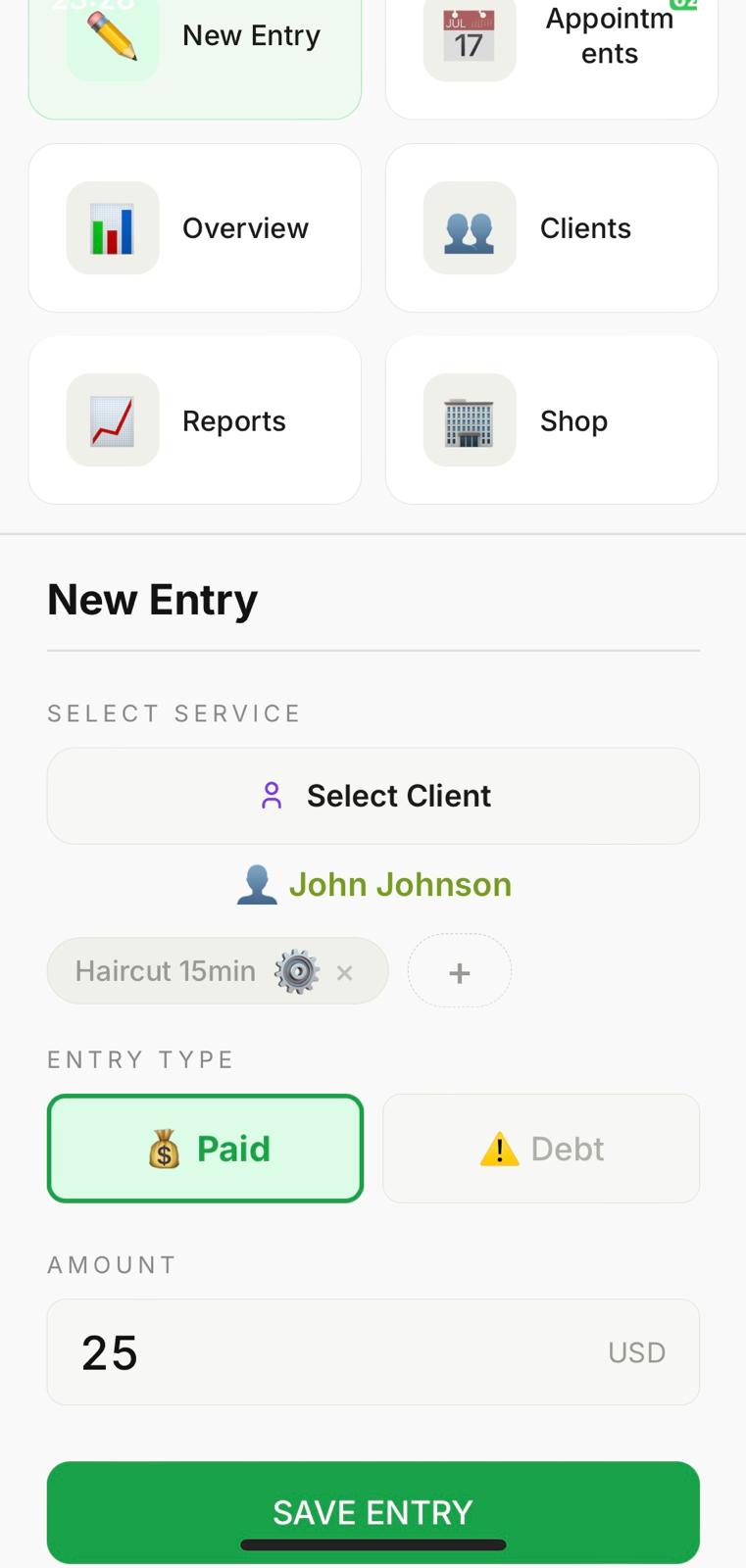
Here you log a payment or debt for a client. Optionally select a client from your existing list or create a new one. Click + in the Service field to add a custom service and set its approximate duration. Choose the entry type — Paid or Debt — enter the amount and save. Entries sync to the cloud automatically.
- Select or create a client from your list
- Add custom services with duration
- Log paid services or outstanding debts
- Automatic cloud sync after every save
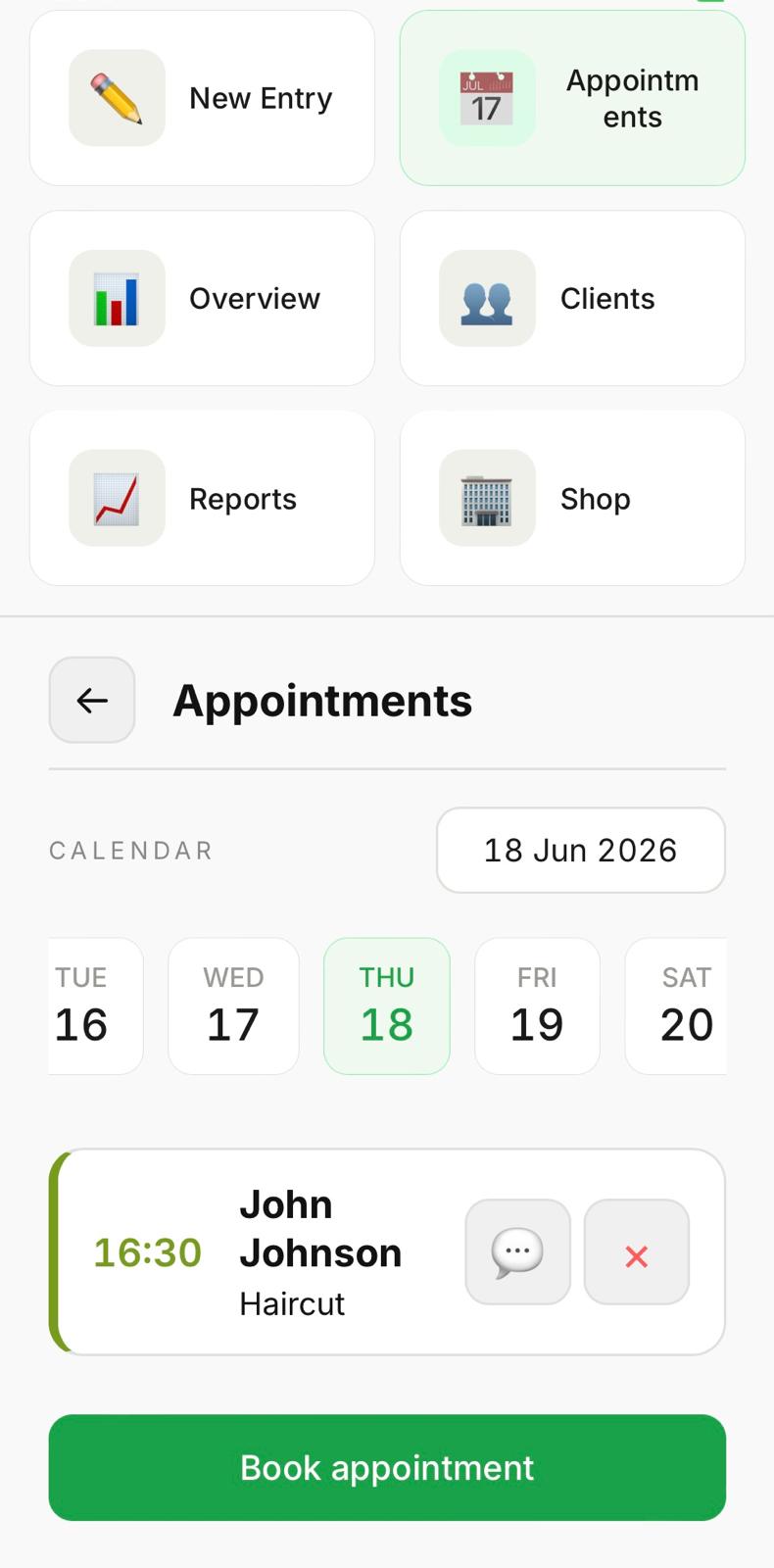
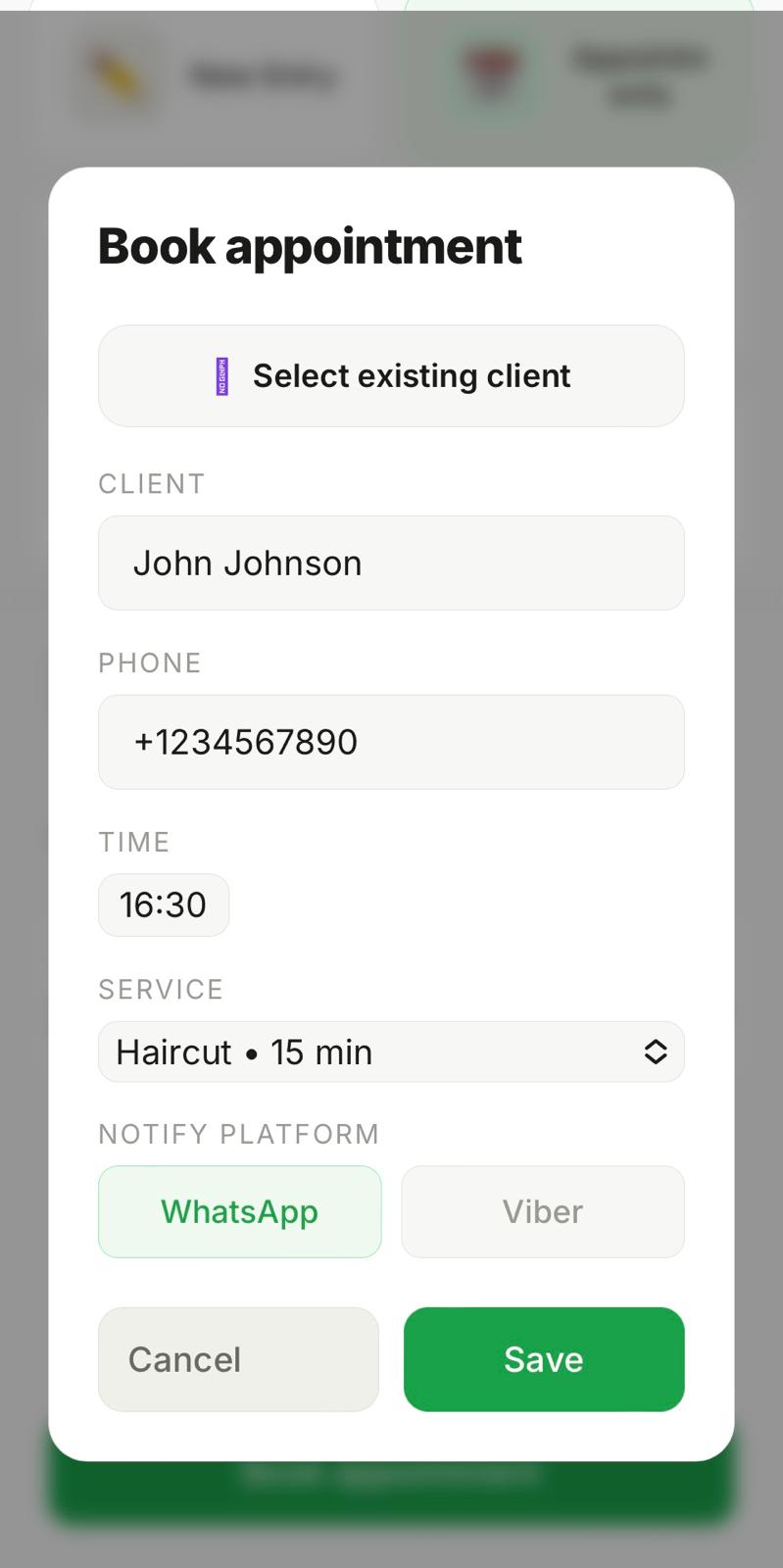
Schedule appointments for your clients. Select a date on the calendar, click 'Book appointment', enter the client's name, phone number, time and service. Choose the notification platform — WhatsApp or Viber. The app will remind you 24 hours and 1 hour before the appointment, with the option to send the reminder directly to your client.
- Calendar view with easy date navigation
- WhatsApp or Viber client notifications
- Reminders at 24h and 1h before the appointment
- Send reminders directly from the app
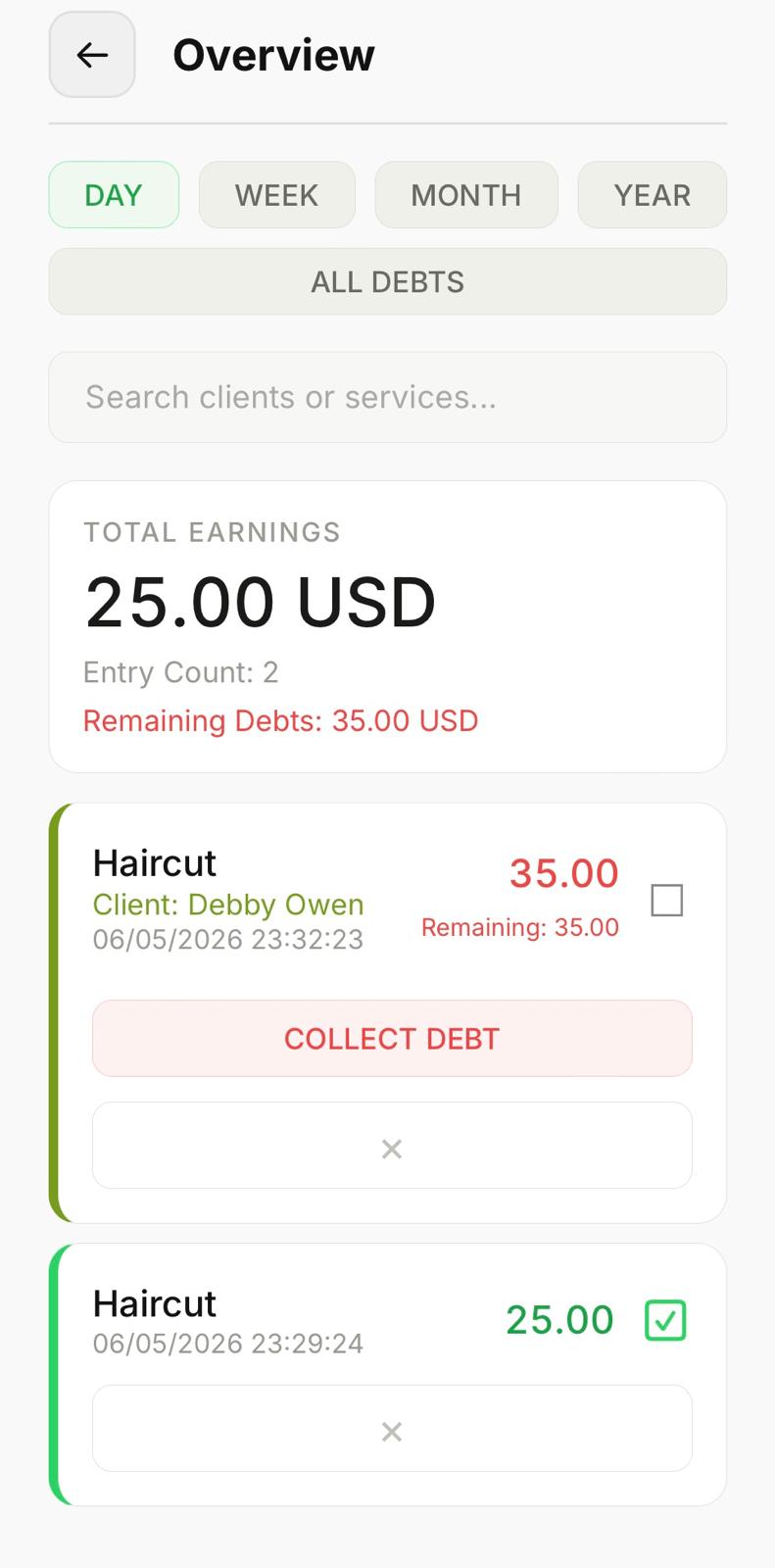
A full view of all entries with filters by day, week, month and year. For each entry you see: date and time, client name, service, amount and payment status. Debts are clearly marked — click 'Collect' to record a debt payment. Total earnings and outstanding debts are shown at the top. The shop owner sees entries from all workers, while each worker sees only their own.
- Filter by day, week, month or year
- Search by client name or service
- Track and collect outstanding debts
- Owners see all workers, workers see their own
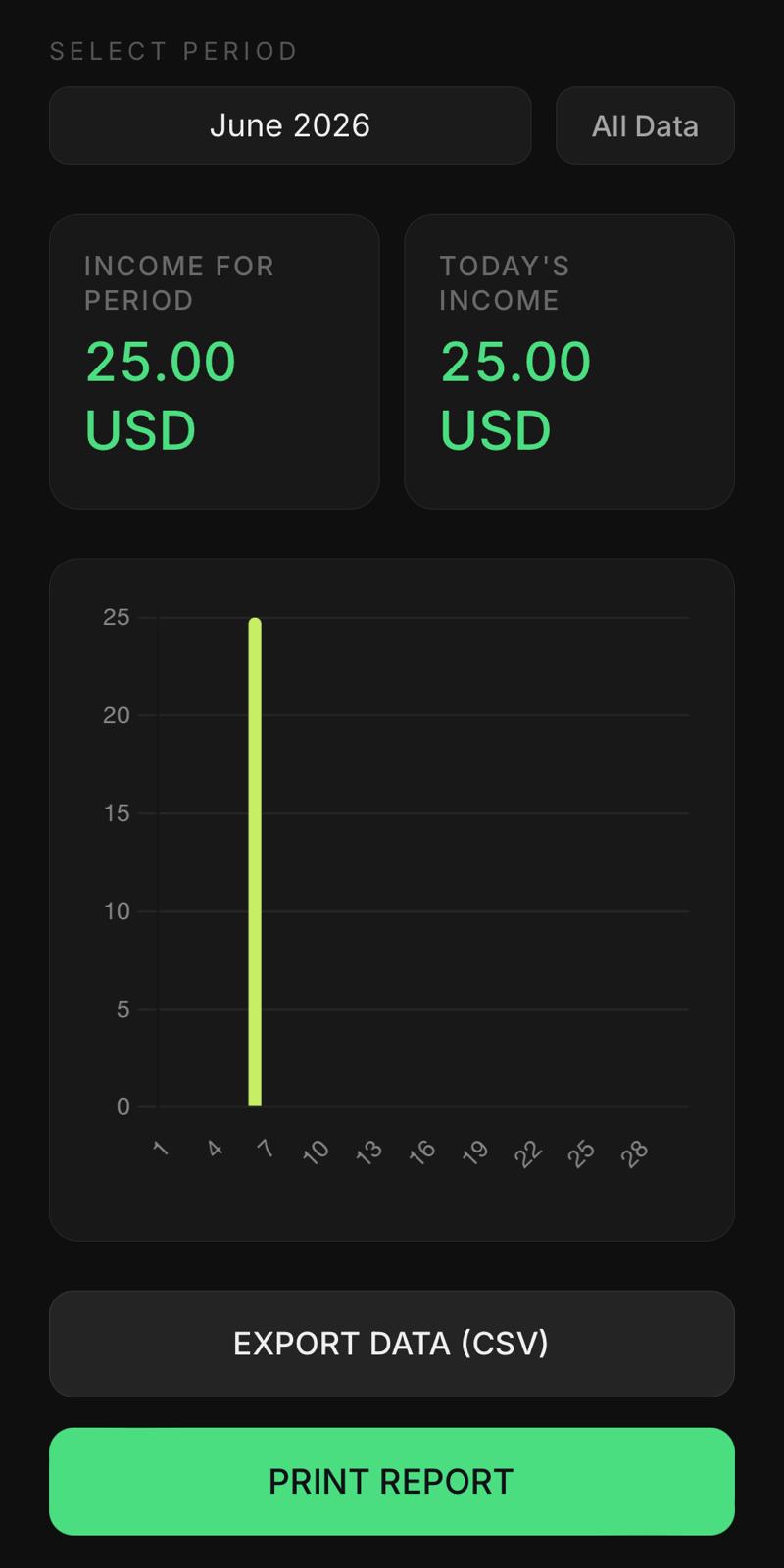
Earnings statistics for any period with a visual chart. Export all data as a CSV file or print a report directly from the app.
- Visual earnings chart by day or month
- Today's earnings always visible
- Export to CSV for accounting
- Print-ready report view
Keep a list of your regular clients with their contact details. When logging a new entry or booking an appointment, simply select the client from the list instead of typing their name each time. Create a new client directly from the entry form.
- Save client name and phone number
- Quick select when logging entries
- Quick select when booking appointments
- Create new clients on the fly
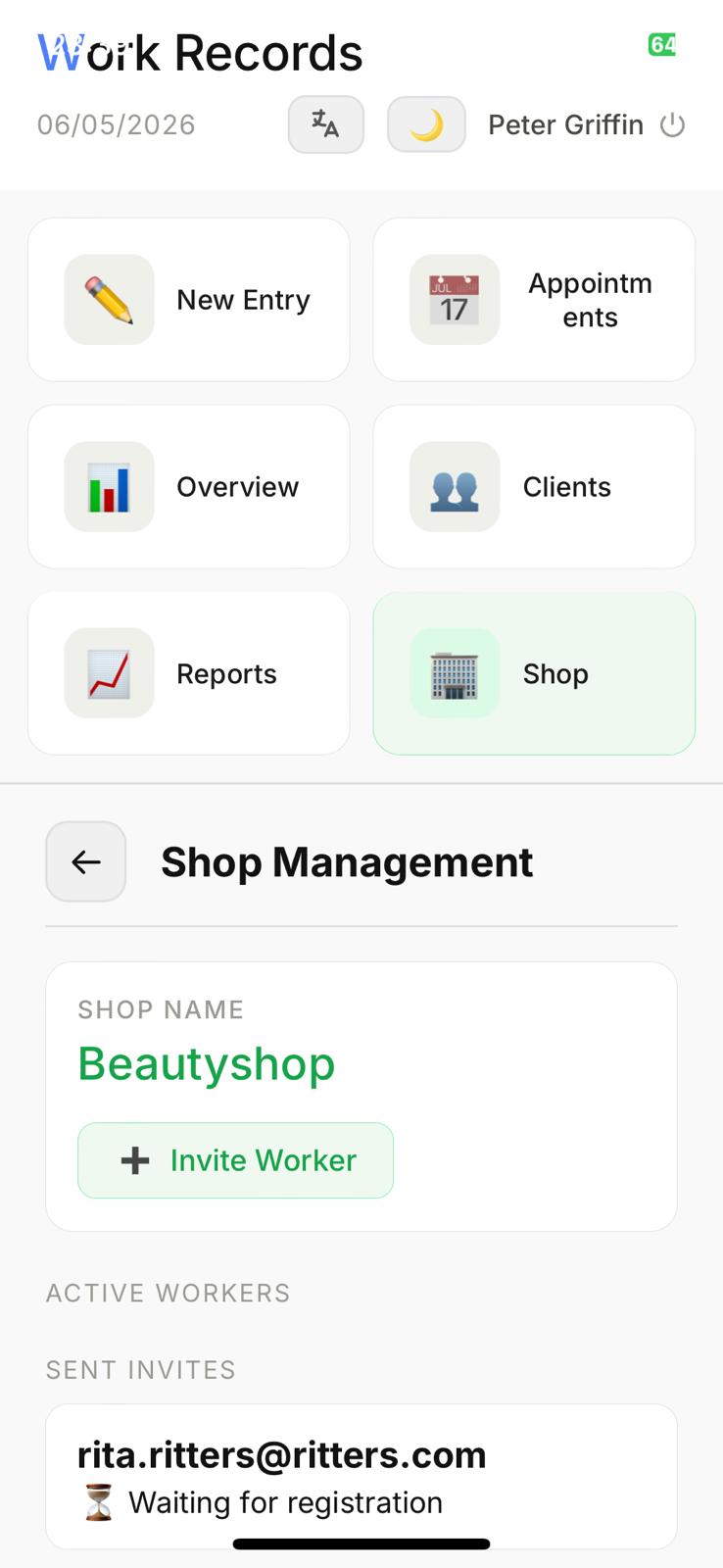
Manage your shop — add the services you offer and invite workers by email. Enter the worker's email in the invitation; when they register with that email, they automatically join your shop. Only the owner pays the subscription — workers use the app free of charge within the owner's plan. The owner sees entries, appointments and reports for all workers, while each worker sees only their own data.
- Invite workers by email — no manual setup
- Workers join automatically on registration
- Only the owner pays — workers are free
- Full team overview for the owner